
For Autodesk AutoCAD Plant 3D
Finura PlantIso
Piping isometrics from your Plant 3D project
For piping designers and project teams producing isometrics from Plant 3D models.
Select a line from a Plant 3D project, review the isometric draft and publish the drawing as a revision. PlantIso runs in a browser in your own environment. Generating isometrics does not require AutoCAD.
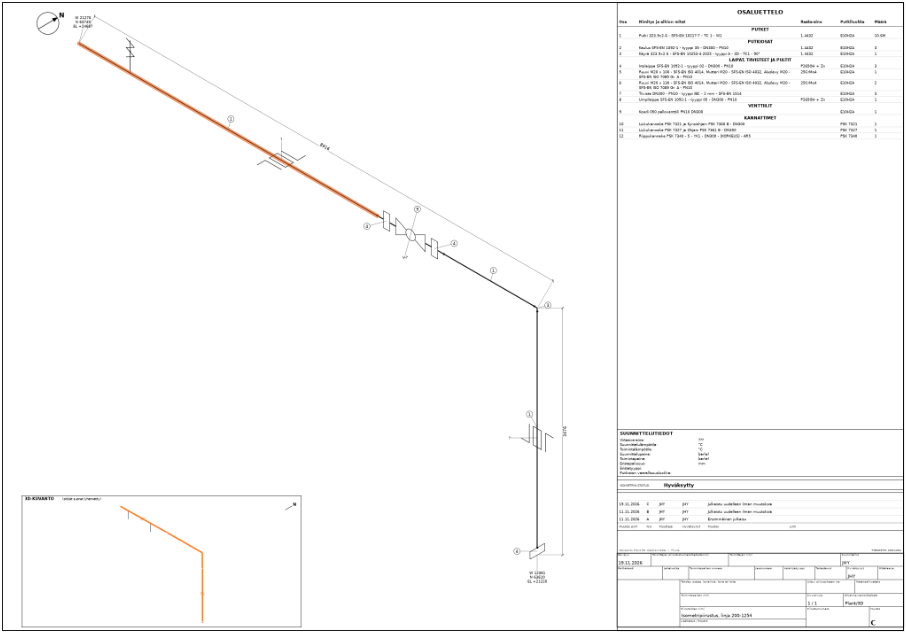
Isometric sheet from sample data, showing the BOM, revision details and a 3D view.
Single lines or batches
Produce PDF, DXF and DWG isometrics and a CSV bill of materials for one line or a batch.
Three coordinated views
Review the 3D model, P&ID and isometric side by side. Selecting a component highlights it in the other views.
Your project conventions
Use your own isometric symbols, DWG/DXF title blocks, BOM columns, draft states and revision history.
Workflow
1 Open the project
Read the project’s Piping.dcf database and select a line from the list.
2 Review the draft
Compare the isometric with the model and P&ID. Check the BOM, dimensions and annotations.
3 Publish a revision
Export the sheet in the selected formats and record the issue in the revision history.
151 isometrics in 8 minutes
Trial on 11 November 2026 using the same lines: PlantIso 8 min (PDF/DXF/DWG), Plant 3D 54 min (DWG). About 85% less time in this trial. The output formats differ.
More detail
Drawing and BOM
Sheets include components and supports, dimensions, coordinates, a north arrow, revision table and a 3D view of the line. The BOM is also available as CSV.
Read-only project access
PlantIso opens the Plant database in read-only mode and copies models to a working folder. The Autodesk Forma connection reads models and P&IDs without writing to Forma.
Languages and units
Finnish, English and German interface. Imperial dimensions and ANSI sheet sizes B-E. Project-specific symbols and title blocks.
Deployment and availability
Runs in your own environment with a Finura isometric licence. Before deployment we test the installation, drawing content, lines spanning multiple models and your title blocks together.
Frequently asked questions
What does PlantIso require?
PlantIso runs in a browser in your own environment. Generating isometrics does not require AutoCAD. It reads the Plant 3D project’s Piping.dcf database.
Does PlantIso change project data?
No. PlantIso opens the Plant database in read-only mode and copies models to a working folder. The Autodesk Forma connection reads models and P&IDs without writing to Forma.
Which file formats does PlantIso produce?
Isometrics in PDF, DXF and DWG, and the bill of materials as CSV.
Which languages are supported?
The interface is available in Finnish, English and German. Imperial dimensions and ANSI sheet sizes B–E are supported.
Can I try PlantIso?
Yes. We show PlantIso in action with one of your own lines.
How can I get PlantIso?
Contact sales@finura.fi. Licensing and pricing are agreed case by case.
See PlantIso with your own line
Autodesk, AutoCAD, Autodesk Docs, DWG, Forma, Navisworks and Plant 3D are registered trademarks or trademarks of Autodesk, Inc., and/or its subsidiaries and/or affiliates in the USA and/or other countries. Finura Oy is not part of the Autodesk group of companies.